Django Celery Logs documentation
Django Celery Logs is a reusable Django app for projects that want Celery task observability without keeping Celery’s result backend enabled. It records task successes and failures through Celery signals, stores structured JSON data, and exposes logs, tracebacks, task reruns, and statistics in Django admin.
Features
Logs successful and failed Celery task executions automatically.
Stores task id, task name, periodic task name, queue, worker, args, kwargs, JSON result, error message, traceback, timestamp, and duration.
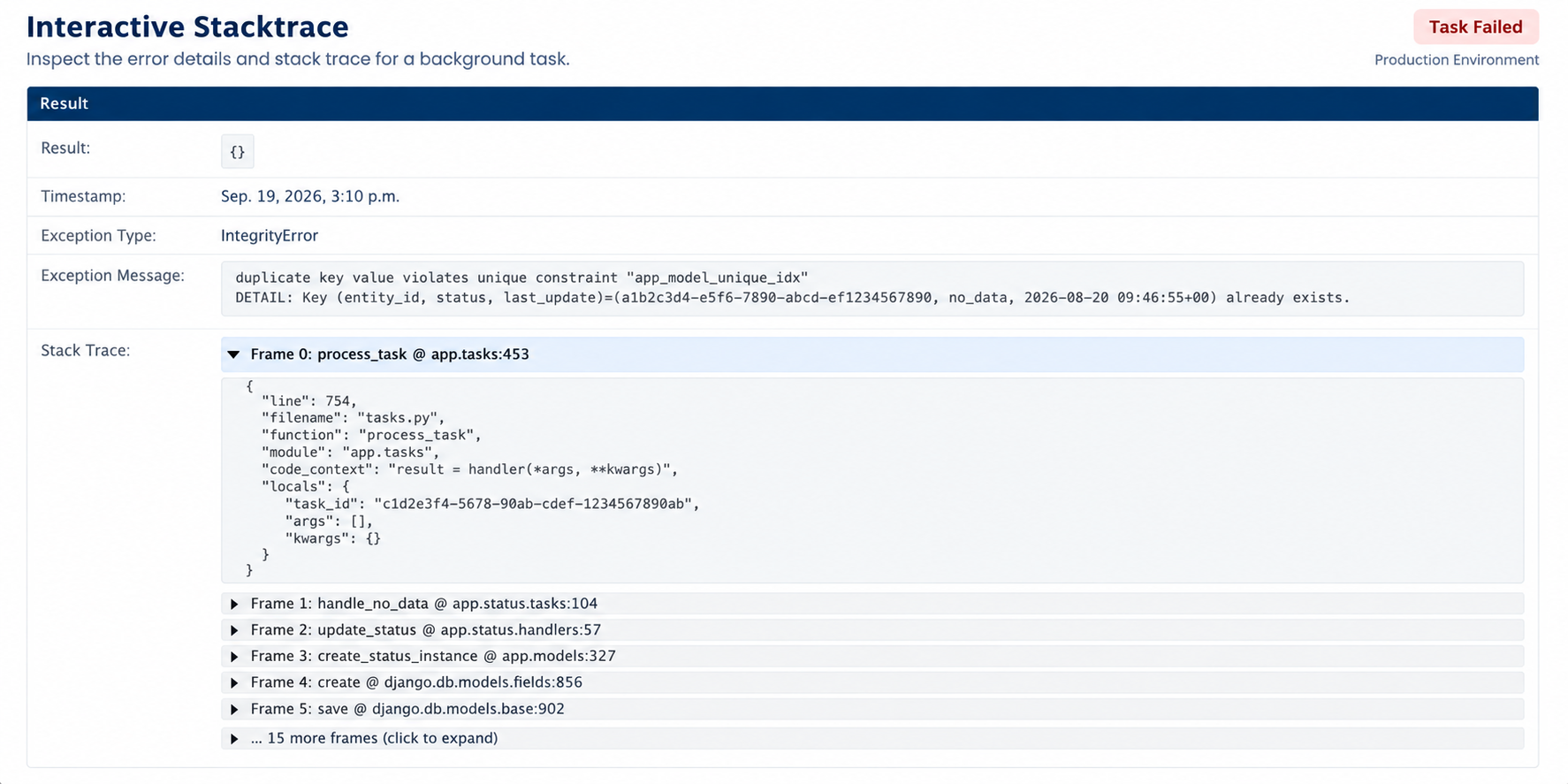
Captures structured failure tracebacks with frame-by-frame context and sanitized local variables.
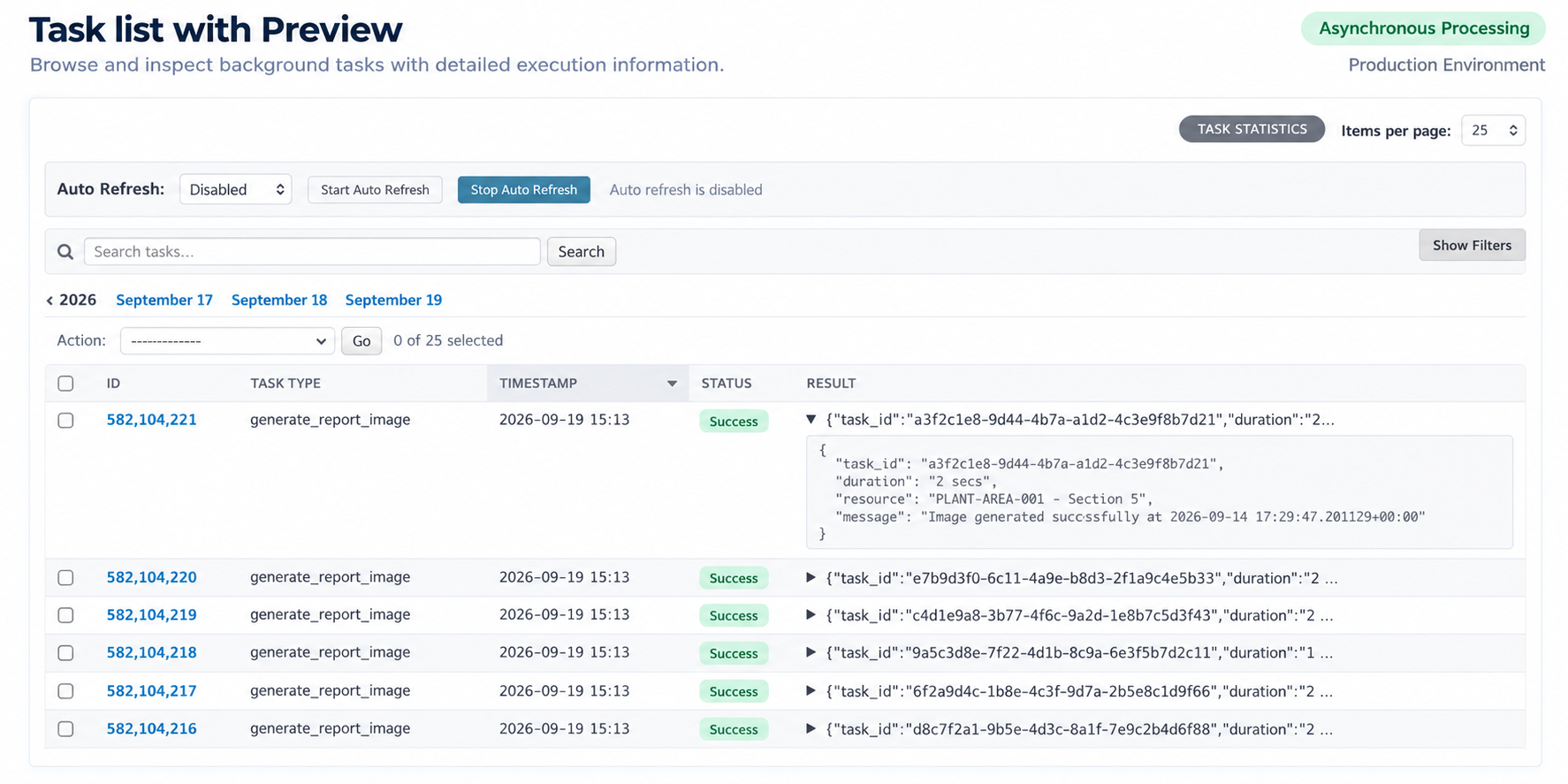
Adds Django admin pages for log inspection, JSON preview, task rerun, and configurable pagination.
Adds auto-refresh to the task log list with 5, 10, 30, and 60 second intervals.
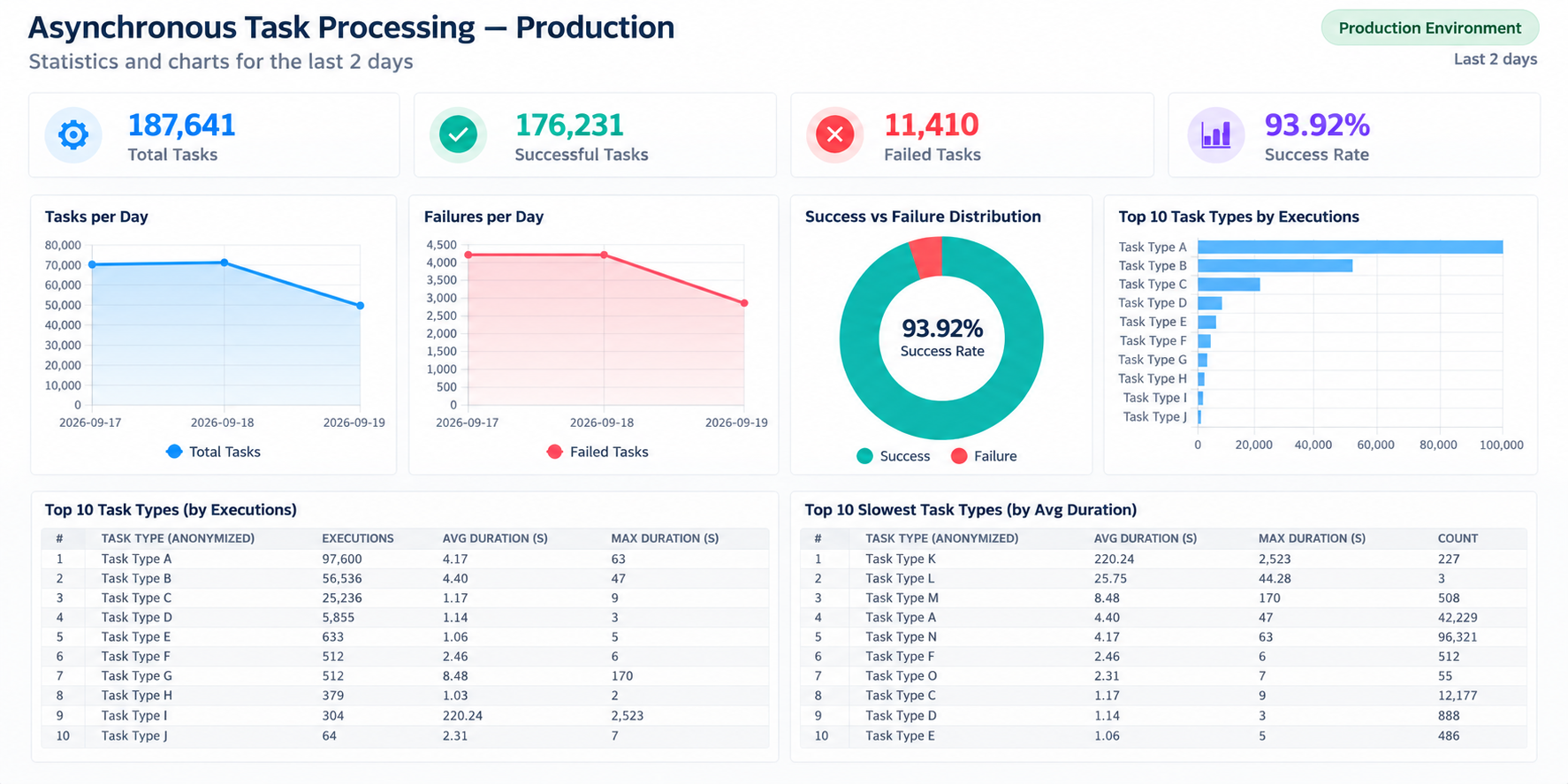
Adds an admin statistics dashboard with totals, success rate, durations, throughput, queues, workers, periodic tasks, slow tasks, and common errors.
Includes
clear_celery_task_logsto remove old records.Includes
acquire_lock_or_failfor cache-backed task de-duplication.
Task List
The task log list shows task metadata and a result preview directly in the table, so teams can scan recent executions without opening every task detail page. It also includes auto-refresh controls and collapsible filters, keeping more screen space available for the task list during operational monitoring.
Interactive Stacktrace
Failed task details include the full stacktrace and the sanitized context variables captured at the moment of the error, making production debugging much faster.
Statistics Dashboard
The statistics admin gives teams a quick operational view of Celery throughput, failures, queues, workers, slow tasks, periodic tasks, and common errors.